A UX case study
Hungry: Local Food App
Introducing a new food app designed for avid travelers, making it easier to explore and enjoy local meals on the go. This Google UX Design Certification capstone project addresses the challenges travelers face when trying to discover authentic local cuisine in new places.
Project Details
Project Duration
4 Months
Role
UX Designer
Coursera
Google UX
Target Audience
E-commerce Platform Users
Project Overview
1
The Problem
Travelers face challenges when exploring and tasting local cuisines in unfamiliar places. They often struggle to find authentic local food options and don't know which places are worth visiting.
2
The Goal
Create an app that enables travelers to easily discover local food and conveniently order it online, connecting them with authentic culinary experiences while supporting local vendors.
3
My Role
As the UX designer, I drove the design process from initial concept to final delivery, leading research, wireframing, prototyping, and usability testing.
4
Responsibilities
Conducting user interviews, creating wireframes, making prototypes, performing usability studies, ensuring accessibility, and implementing responsive design.
User research Insights
Ankur Yadav, 24
University student, 3rd year
Problem Statement:
Ankur is a college student who needs to order food from a local shop because he doesn't know the good local food shops in the area.
Ankita, 22
University student, 2nd year
Problem Statement:
Ankita needs a convenient way to order food from a local shop as she is unable to visit the shop on time due to her busy schedule.
Key Stages
The major steps taken through the design process
1. User research
I began by analyzing various online food delivery applications and conducting user interviews to understand pain points and opportunities. The research revealed several key insights:
Users expressed dissatisfaction with delivery times from conventional food delivery apps.
Users showed interest in supporting local vendors and discovering cultural food.
Travelers struggled to find authentic local cuisine when visiting new places.
Many wanted an intuitive tool to facilitate ordering from small local vendors.
User Needs Identified:
Simple navigation that requires minimal effort
Visual cues to quickly identify appetizing options
Cultural context for unfamiliar food items
Streamlined ordering process
2. Ideation
Competitive Analysis
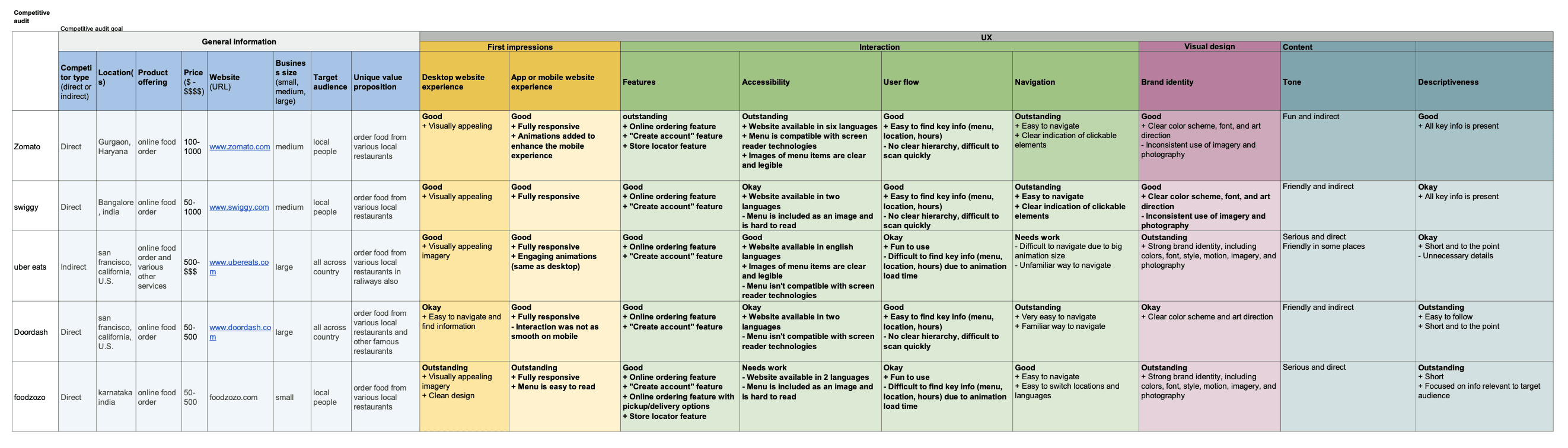
After understanding user needs, I began sketching initial ideas and concepts for the app's interface and user flow, focusing on the following key features:
Visual-first approach with prominent food photography
Streamlined ordering process with minimal steps
User profiles for saving preferences and favorites
Rating system to highlight quality local vendors
3. Design Development
Taking the selected concepts forward, I created digital wireframes and developed low-fidelity prototypes to test the app flow before moving to high-fidelity designs.
The digital wireframes focused on a clean, minimalist design that emphasized visual content while maintaining clear information hierarchy.
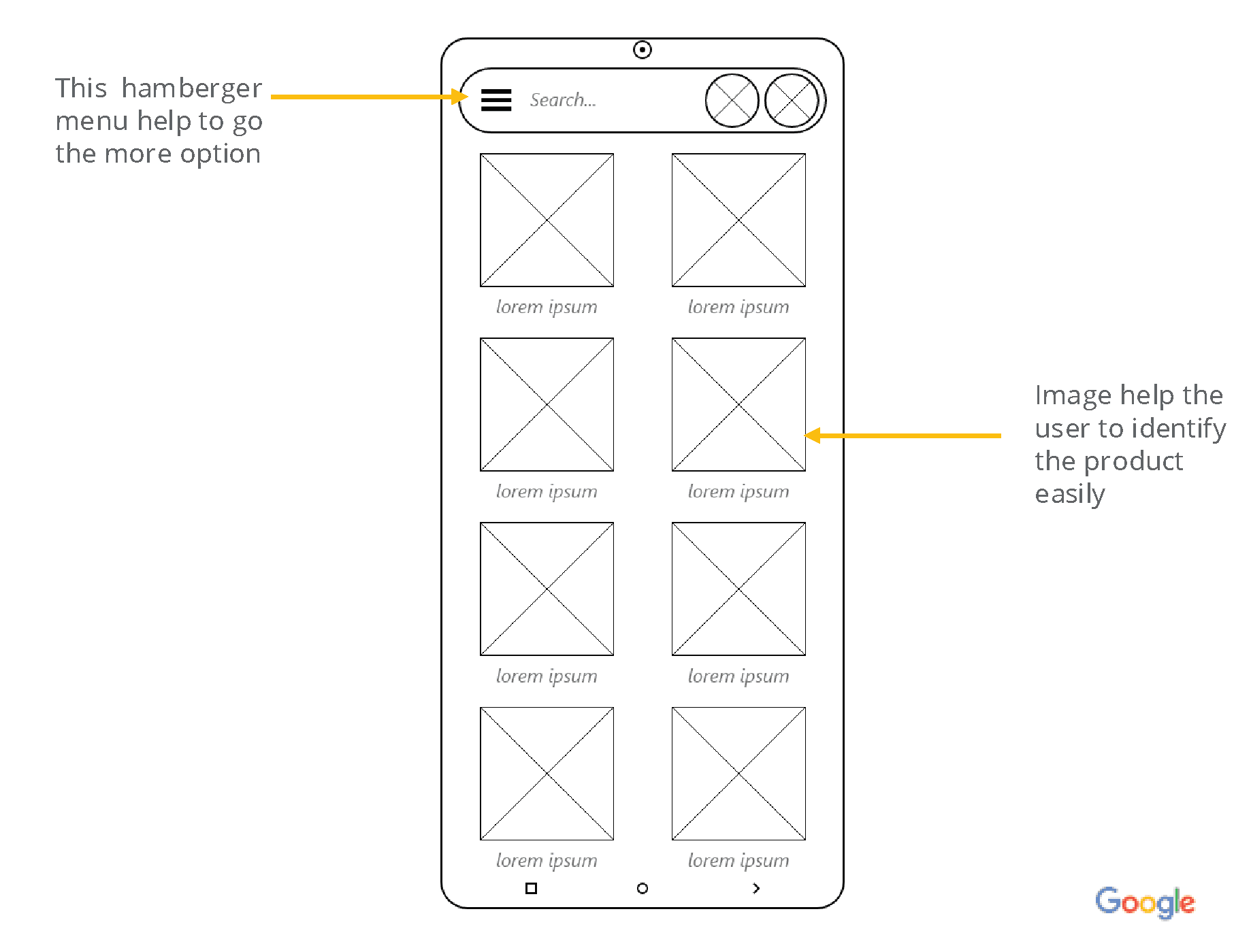
Initial digital wireframes showing the main app interface with food listings
4. Testing & Refinement
The design was tested with 5 participants in an unmoderated usability study. Key findings that led to design changes included:
Users preferred a more minimalist color scheme with good contrast
Rectangular images were preferred over circular ones for food photos
Smooth functioning was highlighted as a critical requirement
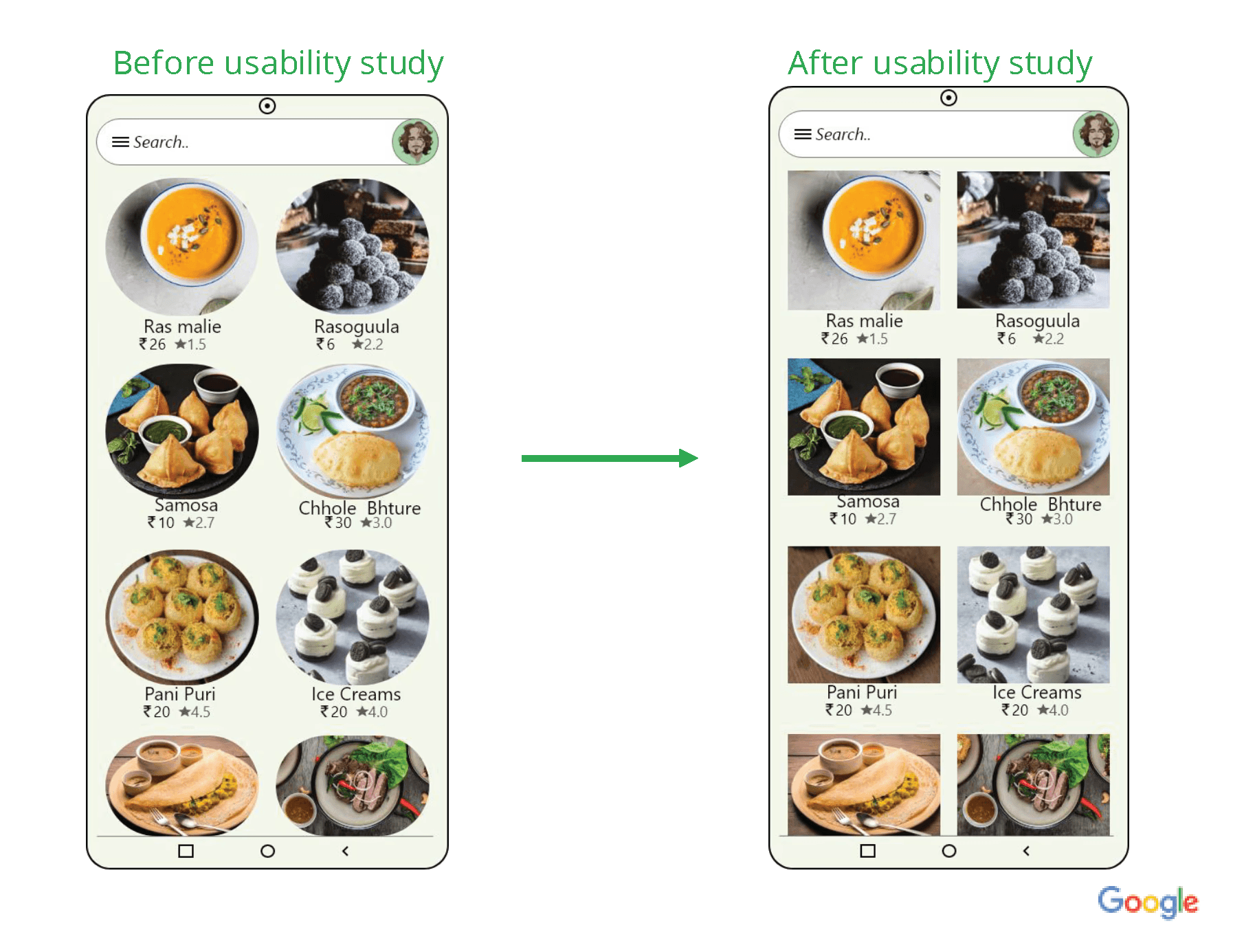
Image shape changes from circular to rectangular based on user feedback
Final Design
The finalized user interface and key features
Key Design Features
Visual-First Interface
Large, high-quality food images allow users to quickly assess options based on visual appeal, with rectangular images showing more detail than the original circular design.
Streamlined Navigation
Clean, intuitive navigation with minimal steps between discovery and ordering, with clear visual cues to guide users through the process.
Accessibility Considerations
Strong contrast between text and backgrounds, clear interactive elements, and a responsive design that works across devices and screen sizes.
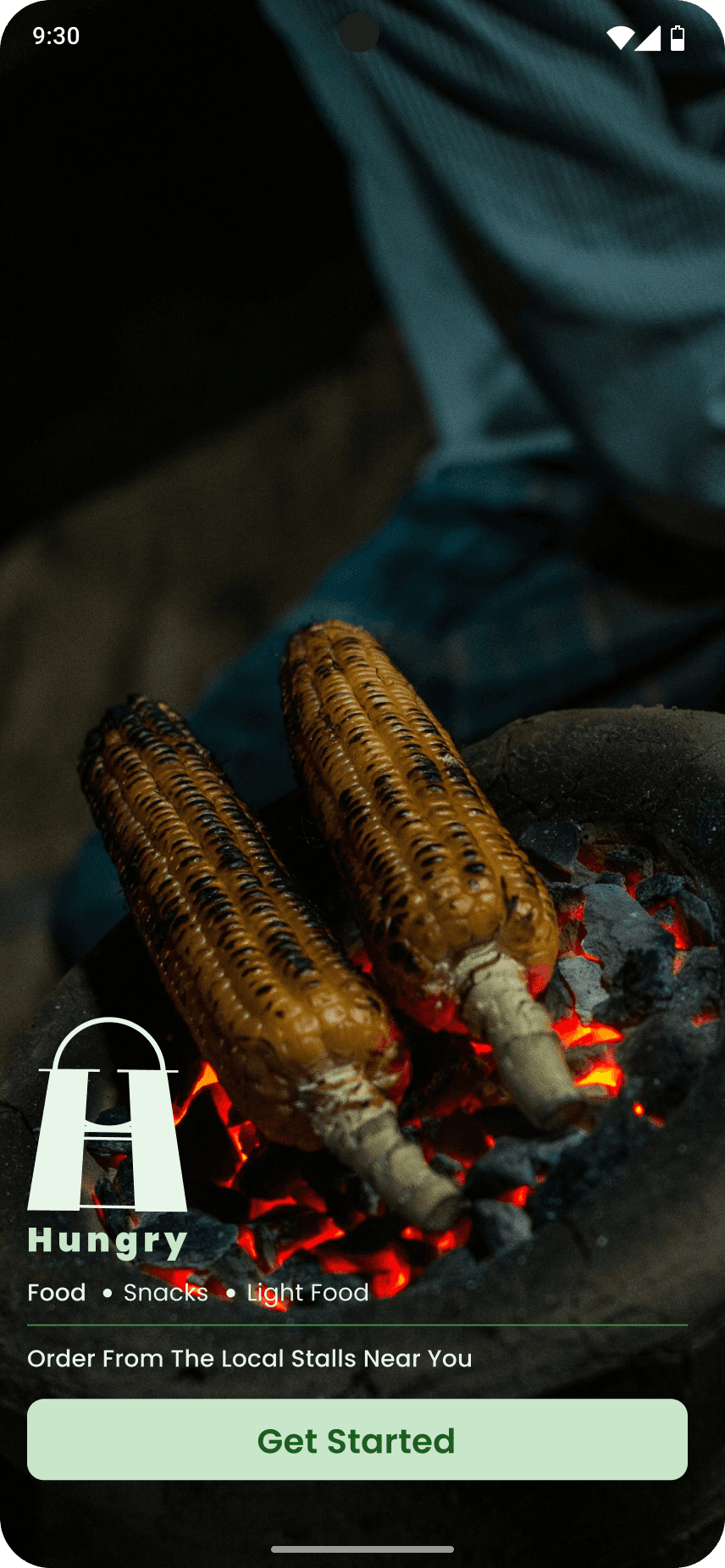
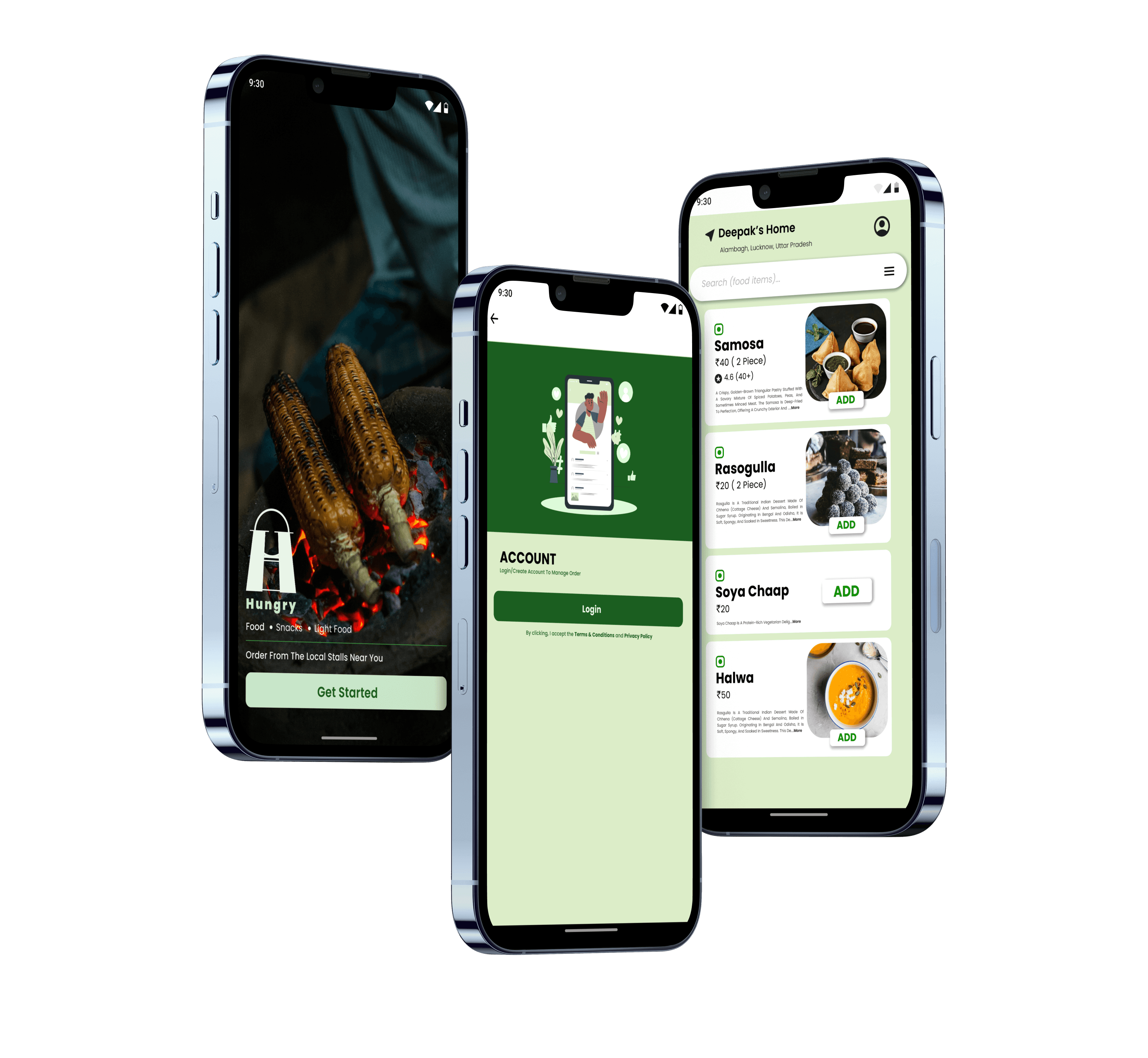
Welcome screen
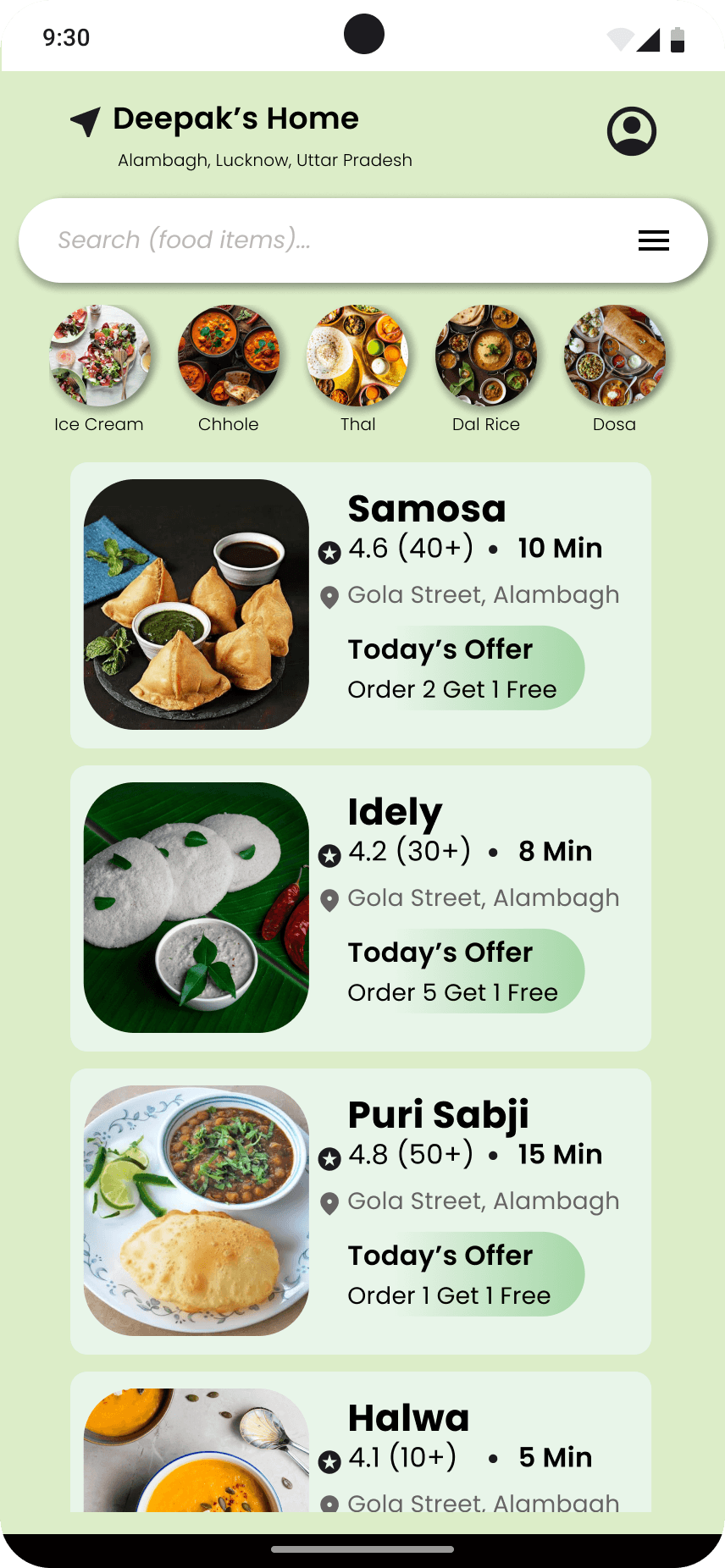
Product list page (PLP)
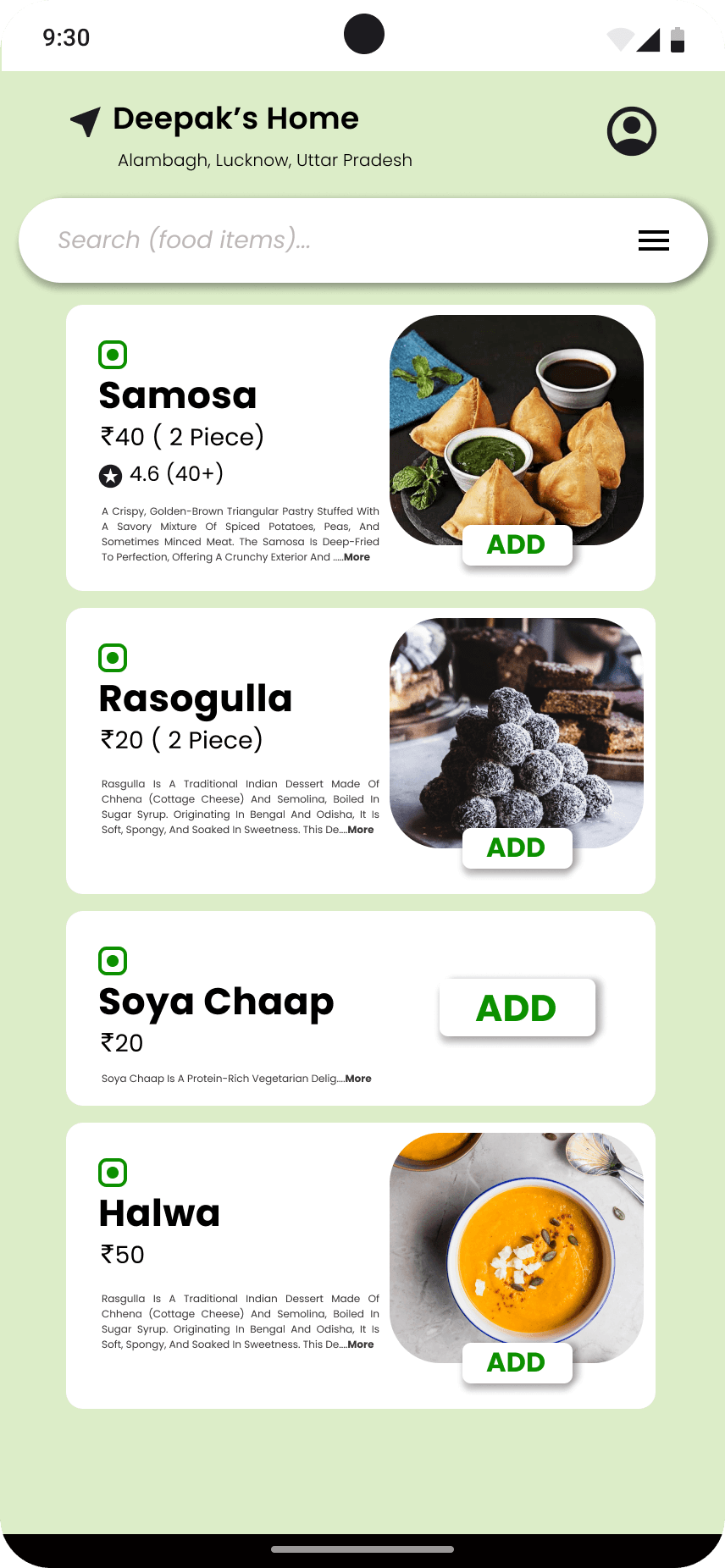
Product display page (PDP)
Outcome
The final design solution and its impact
Solution Overview
Hungry is a mobile app that helps travelers discover and order authentic local food while supporting small, local vendors.
The app features:
Visual-first local food discovery interface
Simplified ordering process with minimal steps
User profiles for saving preferences and favorites
Rating system to highlight quality local vendors